


Learn Python Coding - Mimo
4.720.47K Reviews
App Specs
- Version
- 9.26
- Updated On
- License
- Free
- Downloads
- 10,000,000+
- Developer
- Mimo: Learn to Code
- Categories
- Education
- Platform
- Android, iOS
Screenshots
 Analysis by AppCompare
When a phone or tablet is shared at home, a learning app becomes part of the household routine, not just one person’s private project. I’d use Mimo as a low-pressure way for a curious beginner to try coding in spare moments: one person can explore a lesson after breakfast, while another uses the same device later for something else. That works best when everyone agrees whose learning session is active and avoids treating a shared screen as proof that progress belongs to every user.
Make shared-device sessions deliberate
On a family tablet, I’d set a simple boundary before starting: the learner should know whether they are continuing an existing course or beginning their own exploration. Learning apps can make short sessions feel easy to pick up, but a shared device can blur who completed a challenge or what someone intended to study next. A quick handoff conversation—“I’m stopping here; you can use the tablet now”—is a practical habit, not a substitute for account controls.
I would not assume that a shared device automatically means separate learning histories or individual profiles. If more than one person plans to learn, check how the app handles sign-in and progress before building a routine around it. When the device or account is shared, keep expectations modest: use it for sampling lessons together, or give each learner a clearly agreed turn, rather than relying on the app to keep everyone’s work distinct.
Small routines beat ambitious plans
The short-lesson format is most useful when it has a place in an ordinary day. I’d pair a lesson with a cue that already happens—after a snack, during a quiet wait, or before putting the phone away for the evening. That makes it easier to return without turning coding into another large task on a crowded schedule. If a learner often gets interrupted, stopping after a completed exercise is more sensible than beginning a new one just to preserve a streak.
For a parent and child, or siblings taking turns, coordination matters more than competition. One person can explain what they tried, while the next learner chooses a separate topic or simply watches and asks questions. That keeps the conversation focused on how a solution works rather than who advanced faster. I’d also avoid promising that a handful of brief lessons will make someone job-ready; the value is a welcoming first step and a reason to keep exploring.
Who will get the most from it?
This app is a good fit for someone who wants to test whether programming feels interesting before committing to a book, a long video course, or a formal class. It can also suit an adult who wants a gentle refresher or a learner who benefits from doing small exercises rather than sitting through a lecture. Python, JavaScript, and HTML offer different entry points, so a person can start with the kind of project or subject that catches their attention instead of treating coding as one undivided skill.
It is less suitable as a sole resource for someone who already needs to build and debug substantial software. Short interactive prompts can help establish vocabulary and habits, but serious projects require time with a full development environment, documentation, and problems that do not arrive neatly divided into lessons. I’d also steer away from relying on it when a learner needs a formal curriculum, instructor feedback, or a shared-device setup with clearly separated individual records.
Worth Reading Before You Choose

EA SPORTS FC Mobile 26 Is a Bigger Football Game, but It Takes Time

Flipboard Shows What News Apps Must Do Beyond the Feed

Switching to Android Auto Means Rethinking Your Driving Routine

Google Calendar Makes a Crowded Week Easier to Manage

Ludo King Makes the Most of the Minutes Between Plans

Baby Panda World Brings Quick Play to Modern Phones, but Its Game Library Feels Busy
How it fits beside other ways to learn
Compared with a beginner book, Mimo asks for more active responses and makes it easier to practise in a spare few minutes; a book, however, can explain a topic in greater depth without asking you to tap through a sequence. Video courses are helpful when seeing someone build a project matters, while this app’s exercise-led approach suits learners who would rather try an answer immediately. Neither format replaces the other. I’d use the app to discover basic concepts and build a habit, then move to a longer course or hands-on project when the questions become more specific.
A useful way to avoid shallow progress is to pause after a lesson and recreate the idea in your own words or on paper. For example, after practising a small piece of Python, ask what each part does and what might change if one value were different. The app can provide a prompt, but explaining the logic without the prompt is a better test of understanding. This small follow-up turns a quick session into practice that is easier to carry into a real project.
What to know before you begin
Mimo is a free education app from Mimo: Learn to Code, and its 4.7 average rating comes from around 700,000 ratings. It has been installed over 10 million times, is rated Everyone, and version 9.0 supports operating systems from version 9 onward. Those details make it easy to see why it attracts beginners, but popularity does not tell you whether its teaching style suits a particular learner. I’d try the free experience first and judge it by whether the exercises help you understand, not simply by whether you finish them.
The app is free to start, with in-app purchases ranging from $9.99 to $299.99 per item. I’d check what a purchase unlocks and whether it matches a real learning goal before paying; a higher-priced option is not automatically useful to someone still deciding whether they enjoy coding. With 20,000 reviews, there is plenty of public feedback to browse, but individual experiences can vary. For household use, agree in advance who can approve purchases, especially if a child is using a device tied to an adult’s payment method.
Age context deserves a little more thought than the Everyone label alone. That rating makes the app broadly approachable, but it does not mean every child will find coding lessons easy or want to study independently. I’d sit alongside a younger learner at first, see whether the instructions make sense to them, and help them distinguish a learning challenge from a mistake they should feel bad about. The best household rule is encouraging curiosity without turning daily progress into a test.
There are also limits to what a phone-sized lesson can teach comfortably. Reading code and entering answers on a small screen can become tiring, particularly when a learner wants to compare several lines or keep notes. A tablet may make that easier, but it still does not provide the same working space as a computer for building a larger program. If screen space becomes the main obstacle, I’d keep the app for brief practice and move project work to a more suitable setup.
Ever thought about diving into the world of coding but felt daunted by the complexity? I’ve been there, trust me. But then I stumbled upon Mimo, and let me tell you, it changed the game for me. This app is like having a personal coding tutor right in your pocket. Let’s break it down and see what makes Mimo such a delightful learning experience.
First Impressions: User-Friendly Interface
As soon as you open the app, you’re greeted with a clean, intuitive design. None of that overwhelming clutter that makes you feel lost. The interface is super straightforward, designed for folks who are just getting started with coding. You can jump right into learning without feeling swamped by unnecessary options. It’s a breath of fresh air, and honestly, it made me want to dive right in.
A Diverse Range of Courses
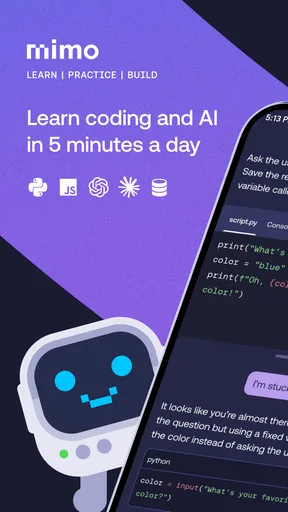
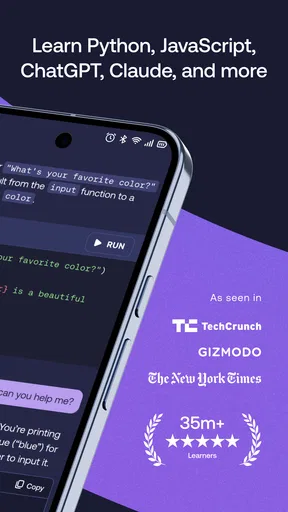
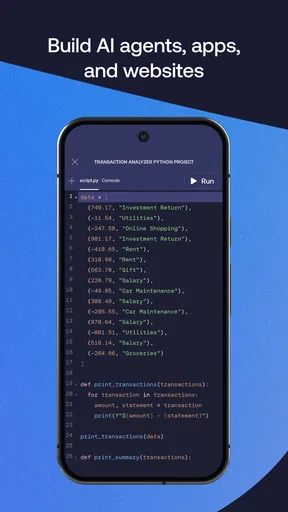
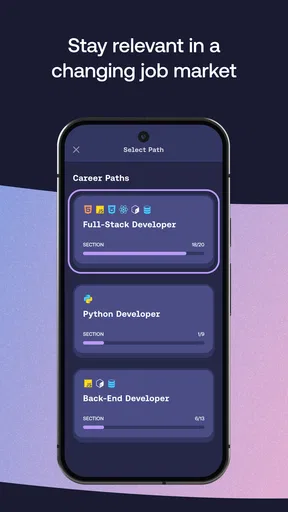
One of the coolest things about Mimo is its wide variety of courses. Whether you’re interested in Python, JavaScript, or even HTML and CSS, this app has got you covered. Each course is broken down into bite-sized lessons, making it easy to fit into your daily routine. I loved being able to squeeze in a quick lesson during my morning coffee or while waiting in line.
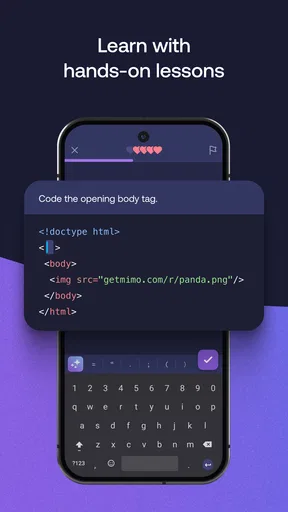
The lessons are interactive and engaging. You’re not just passively reading or watching videos. Instead, you’re actively participating, which makes the information stick. Plus, there’s a little thrill in solving a coding challenge and getting it right!
Gamified Learning: Keep the Motivation High
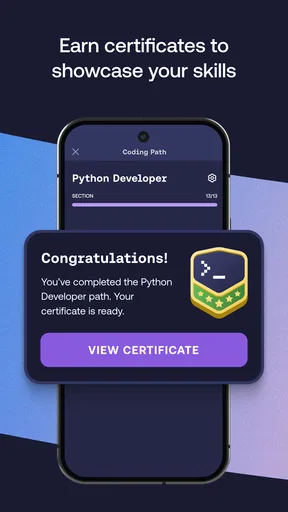
Let’s be real, keeping motivation high can be tough. That’s where gamification comes in. Mimo uses badges, achievements, and daily goals to keep you coming back. It’s like playing a game where you level up your coding skills. I found myself looking forward to hitting my daily streaks, which is something I didn’t expect when I first started.
Community and Support
Beyond the lessons, there’s a vibrant community of learners just like you. The forums and discussion boards are a fantastic place to ask questions, share insights, or even vent about tricky coding problems. It’s reassuring to know you’re not alone in your coding journey. The support team is responsive and helpful, always ready to assist if you hit a snag.
Accessibility Across Devices
What’s great about Mimo is its accessibility. Whether you’re on Android or iOS, you can easily download the app and start learning. It syncs seamlessly across devices, so I could start a lesson on my phone and finish it on my tablet. It’s perfect for those of us who are always on the go.
A Few Things to Keep in Mind
While Mimo is fantastic for beginners, it might not be as comprehensive for advanced learners. The lessons are designed to give you a solid foundation, but if you’re looking to dive deep into complex topics, you may eventually need additional resources. However, as a starting point, it’s unparalleled.
Also, while the free version offers plenty, you might want to consider the premium version for more in-depth content and features. It’s an investment in your future skills, and in my opinion, it’s worth every penny.
Final Thoughts
In the end, Mimo is a fantastic app that makes learning to code accessible and fun. It’s perfect for anyone looking to dip their toes into programming without feeling overwhelmed. The app’s design, content, and community support make it a standout choice for beginners. So, if you’ve been thinking about learning to code, why not give Mimo a try? You might just find it’s the nudge you needed to start your coding journey!
A practical household verdict
For a household deciding whether to try it, I’d treat Mimo as a shared introduction to coding rather than a complete teaching plan or a family-management tool. It is especially appealing when one person wants to explore a concept casually and others are happy to take turns, talk through an exercise, or encourage the learner. If several people need independent progress, a device and account arrangement that keeps their work separate matters; I would verify that setup before making it part of a routine.
My simplest recommendation is to choose one language based on interest, try a few lessons, and then ask whether the learner can explain the idea without looking at the answer. If the exercises spark questions, follow those questions into a computer-based project or a deeper course. If the format feels too guided, the screen feels cramped, or the learner needs personal instruction, another learning route will be a better fit. Used for what it does best—making a first encounter with code feel manageable—this is an easy app to recommend to a curious beginner.
Pros
- User-friendly interface for beginners.
- Wide range of coding languages available.
- Interactive exercises enhance learning.
- Progress tracking keeps you motivated.
- Regular updates with fresh content.
Cons
- Some advanced topics lack depth.
- Requires internet for most features.
- Monthly subscription can be pricey.
- Limited offline functionality.
- Occasional app stability issues.
FAQs for Learn Python Coding - Mimo
What platforms is Mimo: Learn Coding/Programming available on?
Mimo: Learn Coding/Programming is available on both Android and iOS platforms. Users can download the app from the Google Play Store or the Apple App Store. The app is designed to work seamlessly on smartphones and tablets, making it accessible for learners on the go.
What programming languages can I learn with Mimo?
Mimo offers a wide range of programming languages that users can learn, including Python, JavaScript, HTML, CSS, and more. The app provides interactive exercises and projects tailored to each language, helping both beginners and experienced coders enhance their skills.
Does Mimo require a subscription for full access?
While Mimo offers a selection of free content, full access to all courses and features requires a subscription. Subscribing unlocks advanced lessons, personalized learning paths, and additional projects, providing a more comprehensive learning experience. Users can choose from monthly or annual plans.
Is Mimo suitable for complete beginners?
Yes, Mimo is designed to be beginner-friendly. It starts with the basics and gradually introduces more complex concepts, making it ideal for those new to coding. The app’s interactive lessons and practical exercises ensure that beginners can learn at their own pace and build a solid foundation.
Can I use Mimo offline?
Mimo does not support offline usage. Users need an internet connection to access lessons, exercises, and other features. This connectivity ensures that learners have access to the most up-to-date content and can benefit from real-time feedback on their progress.


